INTELLIGENT SEARCH FOR YOUR RECORDINGS

Find the take.
Not the file.

Search your recordings by humming, describing, or lyrics. Works with any folder system. No music stored in the cloud.

Works with iCloud· Google Drive· Dropbox· local storage — no reorganizing required.
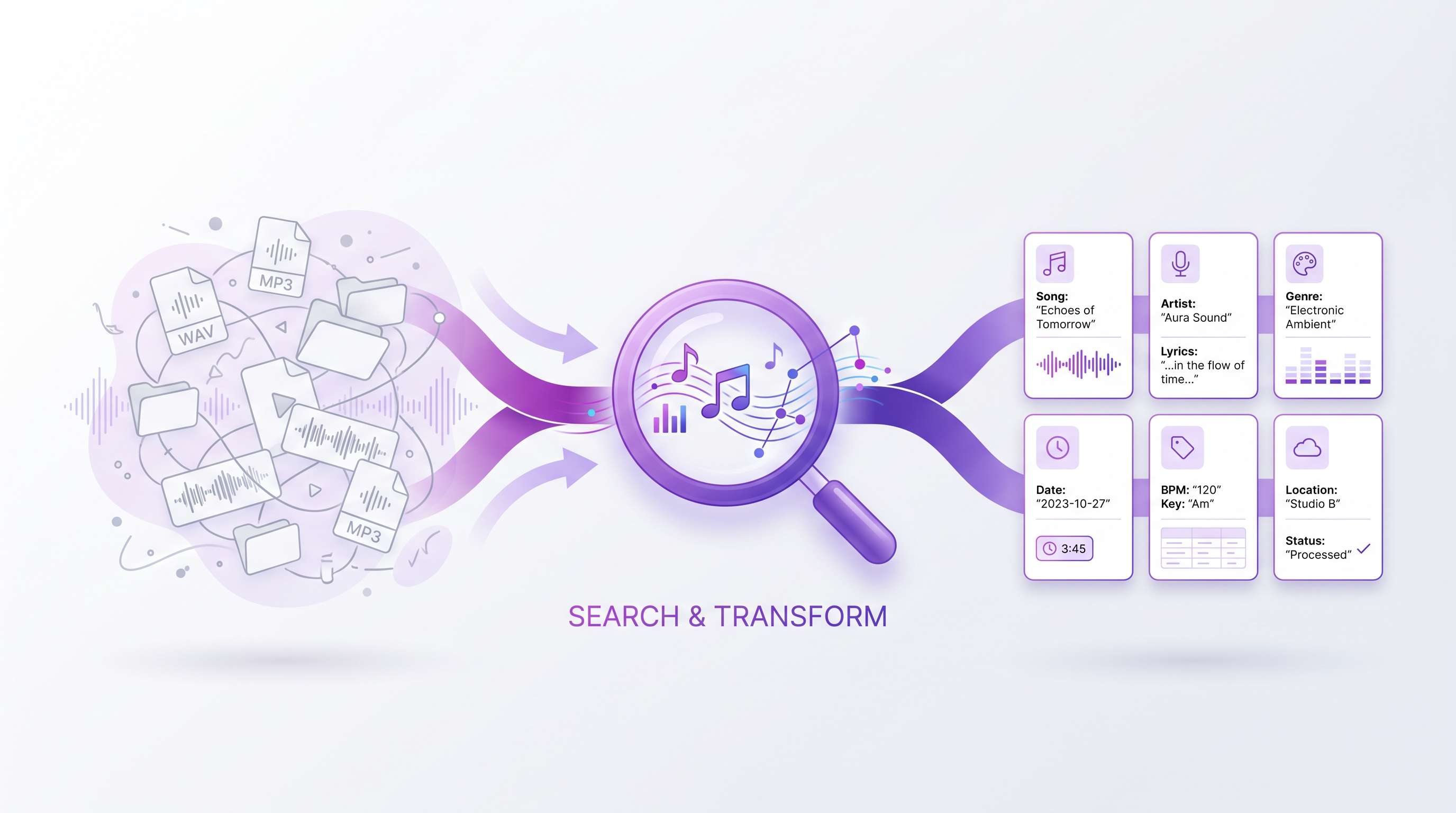
A scattered library of recordings flows into intelligent search and out as labeled, findable results
Audio processed, then deleted

You've got 847 voice memos. Three recording apps. Folders sorted by date, by project, by "stuff to sort later."

You know you recorded a perfect version of that bridge. Was it Tuesday's rehearsal? The coffee shop voice memo? That gig recording from two weeks ago?

Twenty minutes later, you're still scrolling. The creative momentum is gone.

"
I would like to build a song with environmental samples, but I can never find my way through them.
— A musician we talked to
"
If I don't label the rehearsal recording right away, it's lost forever.
— Another

Your folder system isn't the problem.

Maybe you've got subfolders by year, project, and instrument. Maybe everything lives in one giant "Voice Memos" folder. Whatever system you have — it works for you.

The problem is finding things when you remember the melody but not the filename. When you know it was "that funky bassline demo" but you've got 40 demos all named "New Recording."

You don't need to reorganize.
You need intelligent search.

Five ways to find it. Zero ways to lose it.

Hum or describe, search, get the matching recording

Search by humming

Hum the melody into your phone. We find recordings that match — even if you recorded it months ago and never labeled it.

Search by describing

Type "reggae bassline" or "that moody piano thing." Natural language search that understands music.

Search by lyrics

Remember a line you sang? Search for it. We transcribe singing voice — not just speech — and find the recording.

Search by example

Play or upload a clip. We find recordings that complement it — matching vibe, tempo, and harmonies.

Drag into your DAW

Search results drag directly into your DAW. Find it, use it, keep creating — no exporting, no detours.

Point and search

Point at any folder — iCloud, Drive, Dropbox, local disk. Audio is processed in the cloud and immediately deleted. Only search data is kept.

Built for a full library, not a tidy one.

You're a good fit if

  • You have hundreds — or thousands — of recordings scattered across apps and folders.
  • You've spent more than 5 minutes hunting for one recording in the last month.
  • You record ideas casually — voice memos, rehearsals, phone takes — and want them back later.
  • You have your own folder system and don't want to change it.

Maybe not the right fit if

  • You have 10 recordings total and remember every one of them.
  • You're looking for a DAW or production tool. This is search, not recording or editing.
  • You need offline-only processing. We use cloud processing — an ensemble of ~10 neural networks — for speed.

Stop scrolling. Start finding.

Join the waitlist for early access when we launch — and a say in which features we build first.

No credit card. No spam. Just updates when we're ready.

Questions, answered.

Does this work with my existing folder system?

Yes. Point oudyo at any folder structure — organized or chaotic — and it indexes everything. You don't change a thing.

Where do my recordings go?

Your audio files are uploaded for processing (an ensemble of ~10 neural networks, for speed), then immediately deleted. Only the search embeddings are stored — your actual music never stays in the cloud and can't be reconstructed from the embeddings.

What if my recordings are in iCloud, Google Drive, or Dropbox?

Works with all of them. If your device can access the files, oudyo can search them.

Do I need to label my recordings?

Nope. Search by melody, description, or lyrics — labeling is entirely optional.

What types of recordings does this work with?

Voice memos, demos, DAW exports, rehearsal recordings, gig captures, environmental samples — any audio file.

Is this a replacement for my DAW?

No. oudyo is intelligent search and navigation. You still record and edit in whatever tools you already use.