How to Search Voice Memos by Lyrics (And Why It’s Harder Than You Think)
You sang a perfect chorus into your phone three months ago. You remember the lyrics: something about sunshine and morning light. But scrolling through 500 voice memos trying to find it? That’s two hours you’ll never get back.
You think: “Can’t I just… search by the words I sang?”
Short answer: Not easily. Here’s why—and what’s becoming possible.
Musicians record hundreds of song ideas. Some people use elaborate naming schemes (“2026-06-24-wed-studio.m4a”). Others have descriptive names. Many end up with “New Recording 47.” But even with good file names, you often remember the lyrics or melody more clearly than the date, place, or what you called the file. The technical challenge: transcribing singing is different from transcribing speech in ways that make most tools unreliable for this.
Here’s why searching voice memos by lyrics is hard, current workarounds that actually help, and how music-specific technology solves this.
Can You Search Voice Memos by Lyrics?
Not natively in Apple Voice Memos, Google Recorder (for music), or most recording apps.
Voice recording apps search by filename or tags only, not audio content. What exists: Generic speech transcription (Google Recorder transcribes spoken words) BUT struggles reliably with singing.
Why musicians want this: You remember what you sang, not always when or where you recorded it. If you recorded five versions of a bridge and the third one was perfect—which file was it? Even with date-based naming schemes, you still need to listen through multiple takes to find the right lyrics.
The gap: Even iOS 18’s new Voice Memos transcription feature works primarily for speech. When you sing, results become inconsistent—sometimes partially useful, often unreliable, depending on vocal clarity and background music.
Why Voice Memo Apps Don’t Have Lyric Search
No Automatic Transcription for Music
- Apple Voice Memos: No transcription feature at all for content—only filename search
- Google Recorder (Android): Has transcription BUT optimized for speech, not singing
- Other apps: tape.it, Samsung Voice Recorder—no content transcription
iOS 18 added transcription to Voice Memos, but it’s built on speech models, not music models. Great for spoken notes. Not built for singing.
Transcribing Singing Is Different from Transcribing Speech
This is the core problem everyone misses.
Generic transcription (Whisper, Google Speech-to-Text, Siri) struggles with singing because:
1. Different acoustic features
- Speech: Clear phonemes, distinct word boundaries, predictable rhythm
- Singing: Sustained vowels, melisma (one syllable across multiple notes), vibrato, pitch variation
- Result: Speech models mishear sung words (“love” with vibrato → transcribes as “luh-uh-uh-v”)
2. Overlapping instruments
- Speech transcription assumes clean vocal audio (no guitar, piano, drums)
- Singing often has instrumental backing (even in demos)
- Result: Instruments interfere with transcription accuracy
3. Pitch variation
- Speech has narrow pitch range
- Singing spans octaves (same word at different pitches confuses models)
- Result: Models trained on speech can’t handle melodic pitch shifts
4. Model training
- Most transcription AI trained on speech datasets (podcasts, calls, lectures)
- Very few models trained specifically on singing voice
- Result: Accuracy drops significantly on singing—from highly reliable for clear speech to inconsistent for sung vocals
One musician put it this way: “Google Recorder transcribes when I talk, but when I sing it just gives me gibberish.”
Current Workarounds (That Actually Work)
Until music-specific transcription becomes widely available, here’s what helps:
Option 1: Google Recorder (Android)—Transcribes Speech, Not Singing
What it does: Auto-transcribes as you record, searchable transcripts
Works for: Spoken descriptions (“chorus idea in C minor, funky bassline”)
Fails for: Actual singing (transcription is garbled)
Workaround: Speak a description BEFORE you sing or play
Usefulness: Medium—helps if you describe verbally, doesn’t help if you just sang
This is actually the best current option. Before or after singing, speak out loud: “Lyrics about sunshine and morning light, bridge section, folk feel.” Google Recorder transcribes the SPOKEN part. Search for “sunshine morning” → finds the recording.
Requires discipline. Easy to forget when you’re in creative flow. But it works.
Option 2: Descriptive File Naming at Recording Time
How: Rename recordings immediately with context-rich filenames
Examples:
- ISO date + context:
2026-06-24-wed-musikbunker.m4a - Descriptive:
folk-song-sunshine-lyrics-bridge-idea.m4a - Hashtags:
chorus-#sunshine-#morning-Gmajor.m4a
Works for: Musicians who remember day/place/context better than specific lyrics
Limitation: Requires discipline immediately after recording
Usefulness: High IF you build the habit and remember context details
Some musicians maintain spreadsheets with annotations (date, place, quality rating, instruments, lyric snippets). More work upfront, but makes searching later much easier.
Option 3: Use iOS 18 Voice Memos Transcription (For Spoken Context)
What it does: Transcribes spoken audio in voice memos
How: Tap recording → More (…) → View Transcript
Works for: Spoken descriptions and notes
Struggles with: Singing (same speech-vs-singing limitations)
Workaround: Speak lyric descriptions before or after singing
Usefulness: Good for spoken context, unreliable for sung content
Option 4: Export to Third-Party Transcription (Otter.ai, Rev)
Process:
- Export voice memo to Files/Drive
- Upload to Otter.ai or Rev Voice Recorder
- Transcription generated (optimized for speech, not singing)
- Search transcripts for lyrics
Accuracy: Inconsistent for singing—sometimes captures fragments, often misses words entirely. Depends heavily on vocal clarity, lack of background music, and how song-like the performance is.
Time cost: 5-10 minutes per recording
Usefulness: Worth trying for a cappella or very clear vocals with minimal instrumentation
How to Search Your Recordings by Lyrics (The Real Solution)
Here’s what’s needed to make lyric search actually work for musicians.
The Technology Challenge: Transcribing Singing Voice
Why this is hard:
- Generic speech-to-text (Whisper, Google, Siri) trained on speech, not singing
- Singing has sustained notes, vibrato, pitch variation, melisma
- Instrumental backing interferes with vocal transcription
- Results are inconsistent—sometimes partially useful, often unreliable
What’s needed:
- Vocal isolation (stemming): Separate singing voice from instruments
- Music-specific transcription: Models trained on singing voice, not just speech
- Lyric indexing: Create searchable database of transcribed lyrics (a challenging step when you have thousands of recordings to index)
- Smart matching: Handle variations (slurred words, unclear articulation)
How It Works: Stemming + Music Transcription Pipeline
Step 1: Vocal Isolation (Stemming)
AI separates vocals from instruments (guitar, piano, drums, bass). Output: Clean vocal track with no instrumental interference. Technology: Spleeter, Demucs, or similar source separation models.
Why: Transcription works much better on isolated vocals. The guitar chords aren’t competing with the voice for the model’s attention.
Step 2: Singing-Voice Transcription
Use models trained on or adapted for singing (not just speech). These better handle sustained notes, vibrato, and melisma. Results improve significantly with isolated vocals compared to generic speech-to-text on full mixed audio.
This remains an active area of research. Some approaches adapt existing models like Whisper for music tasks, while specialized models are being developed specifically for singing voice transcription.
Step 3: Lyric Indexing
Transcribed lyrics stored as searchable text linked to each recording. You type lyrics → system finds recordings containing those words. Works even with partial/misheard lyrics (fuzzy matching).
Step 4: Search
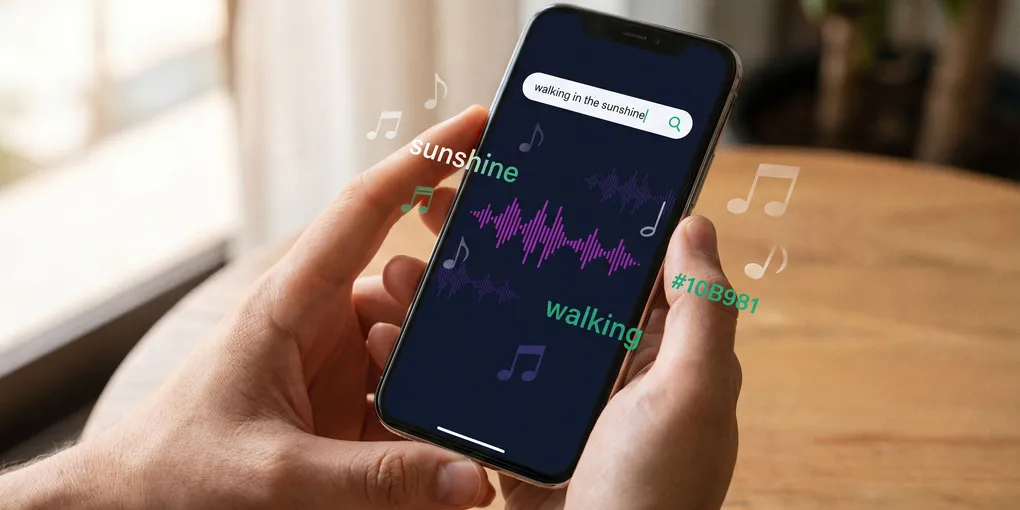
Type what you sang: “walking in the sunshine”
Results: All recordings with those lyrics (or close matches)
Ranked by confidence score
What Makes This Different from Generic Transcription
| Generic Speech Transcription | Music-Specific Transcription |
|---|---|
| Trained on speech datasets | Trained or adapted for singing voice |
| Assumes no instrumental backing | Uses stemming to isolate vocals first |
| Struggles with sustained notes | Better handles melisma, vibrato, pitch variation |
| Inconsistent results on singing | Improved consistency on isolated vocals |
| Examples: Google Recorder, Otter.ai | Music-first pipeline approach |
Privacy consideration: Your recordings would stay on your device (iCloud, Google Drive, local—doesn’t matter). When indexing: Recordings sent to cloud for processing, then immediately deleted. What’s stored: Only transcribed lyrics (searchable text), not full audio. Why cloud processing: Stemming + transcription require significant compute power—faster and more accurate than current on-device capabilities.
What About Published Music Search?
MusixMatch and Lyric Databases
What they do: Let you search published songs by typing in lyrics
How it works: Database of published lyrics matched against your text query
Limitation: Only works for songs in their database—doesn’t help with your original recordings
These services show that lyric-based search is valuable and well-used for published music. The gap is applying similar capabilities to personal recordings, which requires actual transcription rather than database lookup.
Why Shazam Doesn’t Help Here
Shazam uses audio fingerprinting—a completely different technology. It matches the exact acoustic signature of a recording, not lyrics or musical content. This is why it can distinguish a studio recording from a live performance of the same song.
Audio fingerprinting doesn’t work for your voice memos because your recording isn’t in Shazam’s database, and the technology doesn’t extract or search lyrical content.
The Future: Multi-Modal Music Search
Imagine searching your recordings by:
- Lyrics: “walking in the sunshine” → finds it
- Melody: Hum the tune → finds it (even if different instrumentation)
- Description: “funky bassline in D minor” → finds it
- Lyrical topic: “songs about being lonely” → finds thematically related recordings
- Example: Play a few notes → finds similar recordings
All working together. Search however you remember it.
Built for musicians:
- Understands singing (not just speech)
- Handles lo-fi demos (not just studio-quality recordings)
- Works with instrumental backing (stemming separates vocals)
- Works with any folder system (organized or chaotic)
- Cross-platform (iPhone, Android, computer files)
This is the direction music technology is heading. The pieces exist—vocal separation AI, music transcription models, semantic search. They just need to be connected in a way that serves musicians.
What to Do Right Now
Until music-specific transcription becomes widely available:
Workaround 1: Describe What You Sang (Verbally)
Before or after singing, speak out loud: “Lyrics about sunshine and morning light, folk feel”
Google Recorder (Android) will transcribe the SPOKEN part
Search for “sunshine morning” → finds the recording
Limitation: Requires remembering to speak the description verbally
Workaround 2: Use Descriptive Filenames with Context
When renaming: 2026-06-24-wed-sunshine-lyrics-folk-chorus.m4a or folk-song-#sunshine-Gmajor.m4a
Search for “sunshine” or “#sunshine” → finds it
Limitation: Manual labeling takes time, requires discipline immediately after recording
Workaround 3: Build the Habit Early
The longer you wait to label recordings, the harder it gets. If you develop the habit of speaking a quick description before or after capturing ideas, you’ll thank yourself later.
One musician told us: “If I don’t label and trim the rehearsal recording right away, it’s lost forever.” Sound familiar?
Frequently Asked Questions
Can you search voice memos by lyrics?
Not natively in Apple Voice Memos or most recording apps. While some apps like Google Recorder can transcribe speech, they struggle reliably with singing voice. Music-specific transcription using vocal isolation (stemming) and models adapted for singing can improve results, though performance varies significantly based on recording quality, vocal clarity, and instrumental complexity.
Why doesn’t Voice Memos have lyric search?
Apple Voice Memos has no automatic transcription feature at all—it only searches by filename. Transcribing singing is technically different from transcribing speech because of sustained vowels, pitch variation, vibrato, and instrumental backing. Generic speech-to-text models trained on podcasts and calls struggle with these musical characteristics.
How do I search for voice memos in text?
iOS 18+ can transcribe voice memos, but this works best for spoken descriptions, not singing. For singing, you need music-specific transcription that uses stemming to separate vocals from instruments, then applies models trained on singing voice. Current workarounds include speaking lyric descriptions before singing or using hashtags in filenames.
Can ChatGPT transcribe voice memo from iPhone?
ChatGPT can transcribe audio files you upload, but like other generic speech-to-text tools, it’s optimized for speech, not singing. Results on sung vocals are inconsistent due to pitch variation, sustained notes, and musical backing—sometimes partially useful, often unreliable. For more consistent results with singing, music-specific transcription with vocal isolation is needed.
How to see lyrics in voice memos?
Apple Voice Memos doesn’t extract or display lyrics from sung audio. You can view transcripts of spoken audio in iOS 18+, but singing requires specialized music transcription. Options include speaking lyrics before singing, using third-party music transcription services with stemming capabilities, or waiting for music-specific search tools.
How to get a transcript from a voice memo?
In iOS 18+, tap a voice memo, tap the More button (…), then tap ‘View Transcript’ for spoken content. For singing, export your memo and use music-specific transcription services that employ vocal separation and models adapted for singing. Generic transcription services like Otter.ai work reliably for speech but produce inconsistent results on sung vocals.
Does Apple Voice Memos have search?
Yes, but only by filename and spoken transcript (iOS 18+). Swipe down on your recordings list to reveal the search field. You can search by recording name or words spoken in the memo. However, it cannot search by sung lyrics or musical content—only by filename or transcribed speech.
How to find a specific voice memo?
For now: speak a description with key lyrics before or after singing, use descriptive filenames with hashtags (#chorus, #bridge), or organize by date. Future: music-specific search tools using vocal isolation and singing transcription will enable searching by actual sung lyrics, not just spoken descriptions.
Conclusion
Searching voice memos by lyrics is hard because transcribing singing is different from transcribing speech. Generic speech-to-text produces inconsistent results on singing because of sustained vowels, pitch variation, vibrato, and instrumental backing.
Current workarounds: Google Recorder (for spoken descriptions), descriptive file naming, date-based organization. None solve the core problem of searching by actual sung content.
What’s needed: Stemming (vocal isolation) + music-specific transcription. Separate vocals from instruments, transcribe with models adapted for singing, index lyrics for search. This remains an active area of development.
What to do now: Speak lyric descriptions at the start of recordings, use descriptive filenames with context (date/place/lyrics), build the habit early.
Future: Multi-modal search (lyrics + melody + description + lyrical topic) all in one tool. The pieces exist—vocal separation, transcription models, semantic search. They just need to be connected in a way that serves musicians.
The same retrieval friction exists one level up, in your computer’s project folders — digging through old DAW sessions for ideas covers that pile.
You sang the perfect chorus. You remember the words. Soon, finding it will be as simple as typing what you sang.